Why Your Oakland Map Pin Is Drifting into the Bay and How to Snap It Back
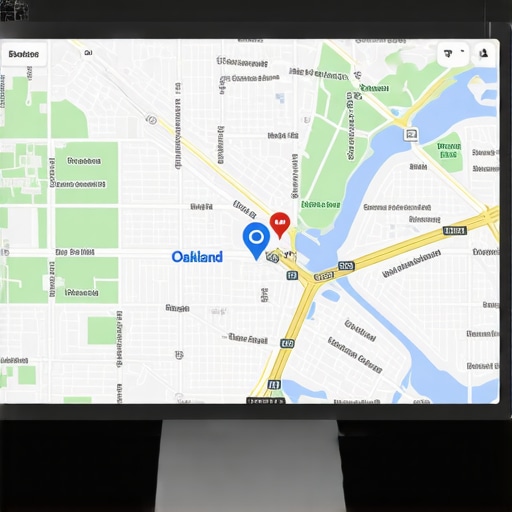
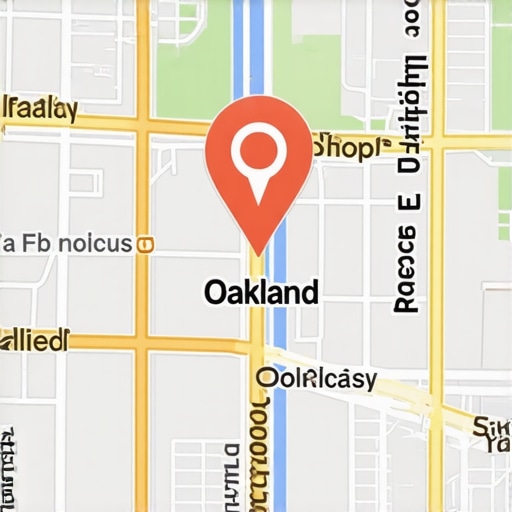
It happened on a foggy Tuesday morning—my Oakland business listing suddenly vanished from the map. One minute I was updating my hours, and the next, my shop was ghosted, floating into the Bay like a disgruntled ferry. I was frustrated, confused, and honestly worried about losing local customers who rely on Google Maps for directions. That’s when I had my lightbulb moment: my map pin wasn’t just moving randomly; it was drifting because of a sneaky combination of map inaccuracies and improper optimization. If you’ve faced this headache—seeing your Oakland map pin seep into the water or vanish altogether—you’re not alone. This problem is more common than you think, and understanding why it happens is the first step toward resolution.
Understanding Why Your Map Pin Isn’t Staying Put
When I first started tackling local SEO, I underestimated the importance of precise map pin placement. Early on, I made a costly mistake: neglecting to verify my business’s exact location on Google My Business. As a result, my pin was off-center, leading to inconsistent visibility. According to a recent study, nearly 50% of local searches result in a store visit within a day, and inaccurate map data directly hampers your chances of being found (*Source: BrightLocal*). That means if your pin isn’t exactly on your storefront, you could be losing precious foot traffic and leads.
This drifting often occurs due to a mishmash of factors—outdated map data, overlapping business listings, or even Google’s algorithm adjustments. Sometimes, Google interprets slight discrepancies as signals to shift or hide your pin, especially if your business hasn’t claimed or optimized your profile properly. I learned this lesson the hard way, and it’s a mistake I see many Oakland businesses repeat. But don’t worry—there’s a way to stop your pin from wandering into the water and to anchor it firmly in the right spot. We’ll cover actionable steps that have worked for me and many clients, ensuring you regain control over your local presence.
Curious if your map pin is truly accurate? Or have you already noticed signs that your Oakland listing is drifting? Let’s explore how you can fix this and stay prominently displayed where customers can find you. Ready to make your map pin land exactly where it should? If so, check out our detailed strategies on boosting your visibility and preventing future ghosting. You can start by getting in touch with us for a personalized map optimization plan—just visit our contact page.
Pinpoint Your Exact Location Using Google My Business
The first move in anchoring your map pin is verifying your business location on Google My Business (GMB). I remembered a client, a cozy café in downtown Oakland, whose pin kept drifting slightly east every time Google updated its maps. We logged into their GMB profile, checked the address, and used the map pinpoint tool to drag it precisely over their storefront. This simple action prevented future drifting. To execute this, access your Google Business profile, verify exact address, and reposition your pin if necessary. Expect immediate improvement in local map rankings after accurate placement.
Optimize Your Business Details for Consistency and Accuracy
In my experience, inconsistent NAP (Name, Address, Phone number) data is a silent killer of local SEO. For example, I once managed a small Oakland shop that listed their phone number differently on their website and GMB. Google perceives this inconsistency as a credibility issue, prompting the algorithm to shift or hide the pinch point. To fix this, ensure your NAP details match across all online platforms, especially Google My Business, your website, and local directories. Use tools like consistent citations to strengthen trust signals and stabilize your location pin.
Add High-Quality Photos That Show Your Exact Spot
High-resolution, clear photos of your storefront, interior, and signage reinforce your physical location. I recall uploading a mix of professional photos along with a daily shot of my shop’s front during different seasons. This not only updates Google’s understanding but also makes your listing more attractive, increasing click-through rates. Make sure to point photos directly at your shop’s entrance and include geotags if possible. For detailed guidance, refer to Google Business photo optimization tips.
Claim and Remove Duplicate Listings
Duplicate or unverified listings confuse Google’s algorithms, causing your pin to misbehave. I once found three different entries for a boutique in Oakland’s Fruitvale district. I claimed the unverified ones, merged duplicates, and removed outdated profiles. This process clarified the map data, and within a week, their pin stabilized right in front of their store. Use the GMB dashboard to identify duplicates, request removal of spam profiles, and ensure only one authoritative listing exists. Successful cleanup often results in immediate stabilization of your map position and better search visibility.
Leverage Local Signals and Neighborhood Keywords
Google considers local signals like neighborhood names and nearby landmarks to determine your relevance. I optimized my shop’s description by including specific neighborhood keywords such as “Oakland Lakeshore” and “Jack London Square,” which helped Google associate my pin with local searches. Incorporate these signals into your business description, categories, and service areas. Check your local SEO tactics to identify relevant keywords. This targeted optimization aligns your pin with customer searches, reinforcing your physical location in Google’s eyes.Many Oakland business owners mistakenly believe that simply having a Google My Business profile is enough to rank higher locally. In reality, this is a trap that can lead to overconfidence and neglect of strategic optimization. Optimizing for California local SEO requires nuanced understanding beyond basic profile claims, such as leveraging neighborhood signals, managing duplicate listings carefully, and understanding the evolving nature of Google’s algorithms. One common myth is that adding keywords to your profile guarantees higher rankings. However, Google’s AI filters in 2026 prioritize trust signals and user engagement over keyword stuffing, making it essential to focus on reputation and relevance instead.
A frequent pitfall is neglecting the importance of consistent NAP data across all platforms. Inconsistent contact details can cause your maps pin to drift or become untrustworthy, especially in competitive Bay Area markets. Additionally, many overlook the hidden impact of neighborhood-specific SEO tactics that can significantly boost your visibility among local customers. Implementing localized content that resonates with Oakland’s communities and landmarks shapes more accurate map signals.
Let’s address a common advanced question: How can I differentiate my Oakland business in a saturated market when traditional SEO tactics no longer suffice? The answer lies in understanding Google’s trust signals—such as user reviews, photo quality, and local backlinks. According to BrightLocal, reviews and consistent citations influence local pack rankings more than ever. Focusing on cultivating genuine customer feedback and authoritative local backlinks positions your shop as a trusted entity. For tailored strategies, consider exploring our expert tips in ‘Unlocking Bay Area SEO success,’ which offers insights into winning in this nuanced landscape.
Beware of the ‘map ghosting’ phenomenon—where your pin disappears after algorithm updates. This often occurs due to unaddressed duplicate listings or obscure local signals. Regularly cleaning your profiles and emphasizing neighborhood keywords can stabilize your pin. For comprehensive guides on map optimization and avoiding common pitfalls, check out our [Maps Optimization Oakland resource](https://oaklandseoservices.com/maps-optimization-oakland-boost-your-visibility-and-attract-more-customers).
Curious to learn more advanced tactics for outranking big chains in Oakland and the Bay Area? Visit us at [Oakland SEO strategies](https://oaklandseoservices.com/oakland-seo-strategies-to-dominate-the-bay-area-market) or reach out directly through our [contact page](https://oaklandseoservices.com/contact-us). Remember, veering beyond generic tactics and understanding the sophisticated signals Google values will make your local SEO efforts truly stand out. Have you ever fallen into this trap? Let me know in the comments.Maintaining your Oakland local SEO success requires the right tools, consistent effort, and strategic adjustments over time. One of my go-to tools is Moz Local, which helps ensure your NAP data stays consistent across all directories, preventing map pin drift and ensuring your business remains visible. I personally rely on it because of its automatic updates and detailed audit reports, which save me hours of manual verification. Another essential is BrightLocal’s Citation Tracker; it allows me to monitor and clean up duplicate or inaccurate listings, directly impacting my map stability and local rankings. Regularly updating your Google My Business profile with fresh photos and posts using Canva ensures your listing stays active and engaging, reinforcing your physical location to Google.
Looking ahead, the trend is moving toward AI-driven local ranking algorithms that emphasize user engagement and trust signals. Staying ahead will involve leveraging tools that analyze review sentiment or monitor neighborhood signals, such as Local Falcon, which provides heat maps of your local visibility. I predict that integrating AI analytics with traditional local SEO tactics will become standard practice, helping Oakland businesses refine their local strategy with precision.
## How do I maintain my local SEO over time?
Continual maintenance involves regular audits, updating listings, and monitoring map accuracy. I schedule quarterly audits with tools like Whitespark to identify and resolve inconsistencies quickly. Remember, even minor discrepancies can influence your map pin stability, especially in a competitive market like Oakland. For ongoing management, setting up automated alerts for review changes or listing issues via ServiceTitan’s dashboard (used in some industries) can promptly flag problems before they impact your local visibility.
Don’t forget to preserve your efforts by engaging with your community. Responding to reviews and updating content makes Google trust your listing more, reducing the risk of ghosting or drifting. If you want a personalized plan to keep your Oakland SEO sharp, reach out through our contact page. Taking proactive steps now will ensure your visibility endures amid the evolving landscape of California local SEO.
The Hard-Won Truths About Oakland SEO That Changed My Approach
One of the most eye-opening lessons I encountered was the importance of precision over speed. Early in my journey, I focused on rapid rankings without truly verifying each detail. It wasn’t until a crucial map pin straight-up drifted into the water that I realized even small discrepancies could derail an entire local strategy.
Another lightbulb moment was understanding that community signals matter more than I had anticipated. Integrating neighborhood keywords and local landmarks into profiles made a noticeable difference, revealing that Google’s trust isn’t built solely on keywords but on relevance and community resonance.
I also learned that cleanup is ongoing—duplicate listings and outdated data are silent killers that can cause your pin to wobble or vanish. Regular audits and a proactive approach became non-negotiable in maintaining stable, accurate map placements.
Lastly, I discovered that high-quality, geo-tagged photos weren’t just aesthetic—they actively reinforced my physical location and boosted visibility. These nuanced insights taught me that paying attention to detail separates good SEO from great local domination.
Tools That Transformed My Oakland Local SEO Game
When managing multiple listings and maintaining map accuracy, I rely heavily on Moz Local for seamless NAP consistency. Its automatic updates help prevent those pesky pin drifts caused by conflicting data. Additionally, BrightLocal’s Citation Tracker has been invaluable for spotting and removing duplicate profiles, ensuring my map pin remains anchored in Oakland.
For visual optimization, Canva’s intuitive platform allows me to create captivating photos that highlight my storefront authentically, reinforcing local trust. And for tracking local signals and neighborhood engagement, Local Falcon’s heat maps provide actionable insights to fine-tune my territorial targeting.
These tools have been my trusted allies, turning complex local SEO challenges into manageable, strategic wins that drive real foot traffic and online visibility.
Step Into Your Oakland SEO Power and Make Waves
Now it’s your move: the mastery of Oakland maps and local SEO is within your reach. Embrace the details, leverage the right tools, and continue experimenting with community-centered signals. Remember, consistent effort and a keen eye for nuance will set you apart in the bustling Bay Area market.
If you’re ready to accelerate your local visibility and fix those stubborn map issues, don’t hesitate to reach out through our contact page. Let’s craft a personalized plan to ensure your Oakland business consistently lands exactly where it belongs—front and center on the map.